Valve won't merge two Steam accounts into one, so the direct way to transfer CS2 skins and other items to a second account of your own is an ordinary trade offer. It comes with the same checks, limits and seven days of trade protection as a trade with a stranger. And in a few places, from phone-number bans to the Steam Wallet limit, Steam can treat your accounts as one person.
Which CS2 items can be transferred to another account
Valve's support pages say Steam accounts "can not be merged together", and that games and CD keys can't be moved between accounts. Wallet funds can't be transferred to another account or put into a trade either. That leaves items, and only the tradable ones. If you mean to retire the old account afterwards, Steam Support can delete it on request once you prove you own it, as our guide to deleting a Steam account explains.
| What you have | Can it move? |
|---|---|
| Tradable skins, stickers, cases and other items | Yes, up to 1,000 per offer |
| Store, Armory and Market purchases | After 7 days, once the date shown on the item passes |
| Items received in a trade | After 7 days of trade protection |
| Items inside a Storage Unit | Once you take them out |
| Storage Units, Service Medals, the Loyalty Badge | Never |
| Case keys bought in-game since October 28, 2019 | Never |
| Name Tag and StatTrak™ Swap Tool items bought since November 12, 2025 | Never |
| Wallet funds and games | Never |
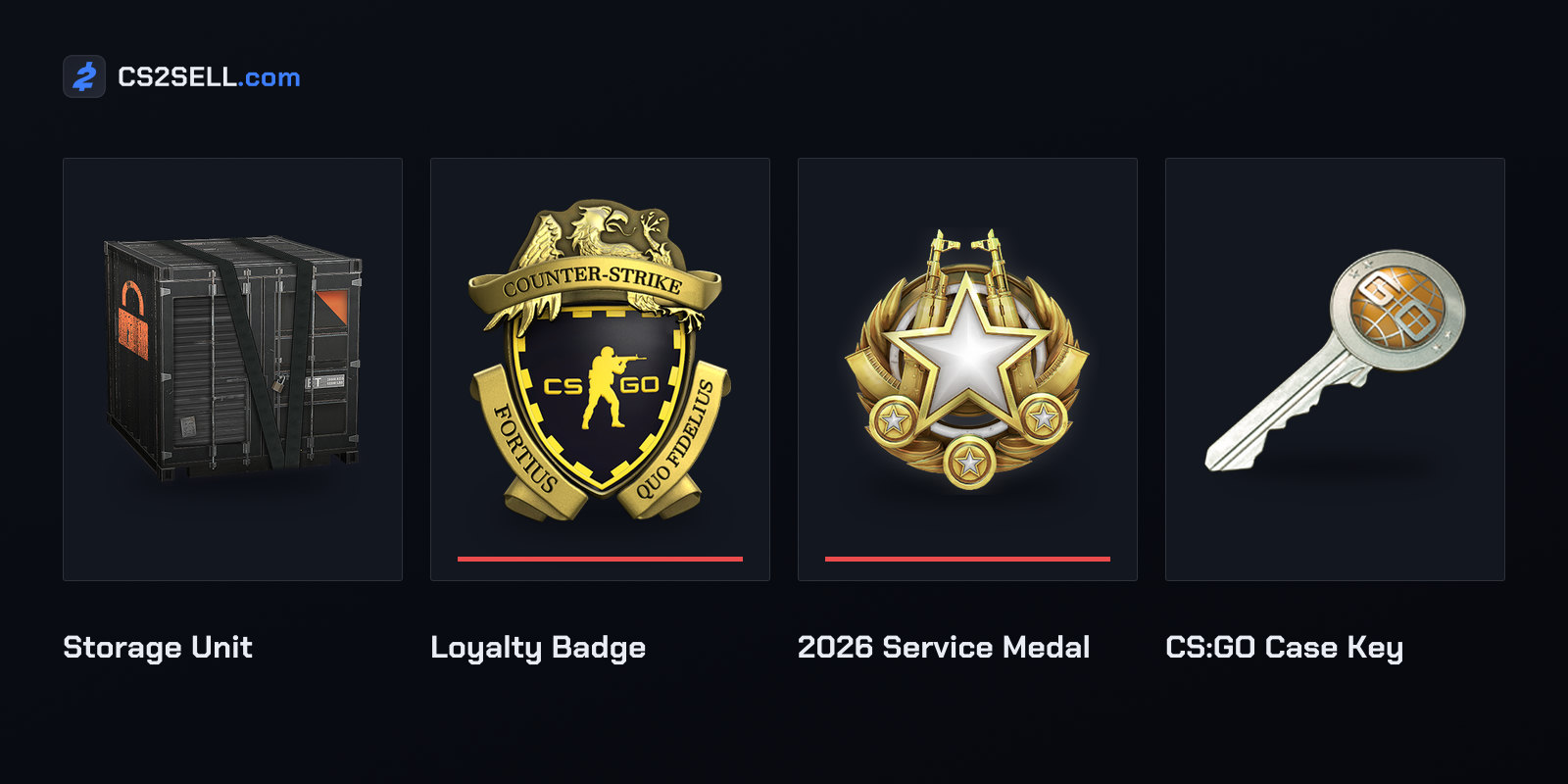
The guide to untradable CS2 items has the full list and shows how to tell the locks apart.
Getting the second account ready
A fresh account can't trade straight away. Steam Guard, the extra sign-in check by email or phone app, must have been on for 15 days before an account can trade or use the Community Market. A device Steam hasn't seen before can't trade for 7 days unless the account has had the Steam Guard Mobile Authenticator for at least 7 days, and clearing cookies or switching browsers can make a familiar computer look new.
You don't need a second phone. Valve says one Steam Mobile app can authenticate several accounts through "Add an account" in the Steam Guard screen's drop-down. Each account can be on only one authenticator, and Valve's advice is to "make sure you are entering codes for the correct account".
An account that hasn't spent $5 on Steam is limited: it can't add friends, use the Market or add messages to trade offers, though it can accept a friend invite from an account that isn't limited. If an account can't trade, Steam usually shows the reason when you try. The guide to Steam Guard and trade holds lists the other cooldowns.
Sending skins to your other account
Take anything you want to send out of its Storage Unit first, since stored items can't be traded. Then, on the second account, open the "Who can send me Trade Offers?" page and copy the trade URL at the bottom, a personal link that lets anyone send the account an offer without being friends. Profile names can be changed at any time, so that link is a safer target than a name in a friends list.
From the main account, put the items on your side of the offer and leave the other side empty. Steam warns that items sent for nothing count as a gift. The sending account then confirms in the Steam Mobile app, or by email without an authenticator; Valve says this ensures "you are in control of items moving out of your account", and there's no opt-out.
Since April 22, 2026, an offer containing CS2 items can hold at most 1,000 items, so a big inventory takes several. A CS2 inventory holds 1,000 items before it needs a Storage Unit, and items that arrive by trade can't go into a unit for seven days. Unaccepted offers expire after two weeks.
Trade protection covers trades with yourself
Every CS2 item received in a trade is Trade Protected for seven days, with no opt-out, so trades between your own accounts get it too. The items arrive at once and can be equipped, but until the week is up they "cannot be consumed, modified, or transferred (including being moved to a Storage Unit)". Sending them back, or on to a third account, has to wait.
Because of that protection there are no trade holds: Valve says CS2 items move immediately, whatever security either account has. They can't share an offer with items from games without trade protection, though.
Protection exists so trades can be undone after someone takes over an account, and a reversal isn't selective: it undoes every trade with protected items from the past seven days. The account that starts it gets a 30-day trade and Market cooldown, its Market listings return to its inventory and its pending offers are cancelled. The explainer on Steam trade protection covers the details.
When Steam treats your accounts as one
Valve lets several accounts share a phone number, with a catch: accounts sharing one "may be treated as the same identity with respect to the Steam Subscriber Agreement, policies, or restrictions". The clearest case is bans. If an account with a phone number gets a VAC (Valve Anti-Cheat) ban or a game ban, Valve says every other account on that number gets it too, even one that doesn't own the game.
Valve switched this on for CS:GO's VAC and game bans in its April 29, 2016 update. Its FAQs say the feature isn't enabled for every game, and that Valve doesn't recommend sharing your phone number or using someone else's.
A banned account is also a dead end. Valve says items can't be moved off a VAC-banned account, nor CS2 items off a game-banned one, so anything parked on an account that later gets banned stays there. The article on VAC bans and your inventory explains what each ban blocks.
The wallet limit is shared too. You can't list an item on the Market if your wallet balance plus the sale price would pass $2,000, and with several accounts, the Market FAQ says all their balances "will be aggregated for purposes of applying this limit".
The "move it to a safe account" scam
Scammers use the backup-account idea as well. In June 2026 Malwarebytes described fake "verification" pages for a CS2 competitive platform that drew a fake Steam sign-in window inside the page to steal passwords and Steam Guard codes. Some victims were then told to move their items to a friend or backup account for safety, and that account was the scammers' own.
Valve's scam FAQ lists a similar trick, where someone asks for an item to be traded over for "verification" and keeps it. Only send items to an account you created and can sign in to, using a trade URL copied from inside it, never a link someone else gives you.
Steam Support never asks for authenticator codes and doesn't restore items that have left an account. If items went out in the last seven days and you're back in control of the sending account, you can still reverse that week's trades from your Trade History page.
Sources
- SteamID, Steam Account Names, Merging Accounts and Deleting Accounts — Steam Support
- Community Market FAQ — Steam Support
- Trading and Market Restrictions — Steam Support
- Steam Guard Mobile Authenticator — Steam Support
- Steam Trade Offers — Steam Support
- Trade Protected Items — Steam Support
- Counter-Strike 2 Update, April 22, 2026 — Counter-Strike 2
- Fake verification pages are stealing Steam accounts from players — Malwarebytes