A CS2 warmup server is a community-run deathmatch server that players join to get their aim going before a match. It is one kind of community server, the player-run servers you reach through the CS2 server browser, alongside surf and other custom modes. This guide covers how the browser works, what warmup and deathmatch servers change compared with Valve's own Deathmatch, and the rules Valve sets for server operators.
What community servers are
The game describes them itself: "Community servers are run by other players and offer new and different experiences from official servers." The same screen invites you to "save your favorites for later". Each server's operator chooses its maps, rules and plugins.
They have a long history. When Valve wrote to server operators in July 2015, it said 3.1 million unique players had played on CS:GO community servers in the previous month. In CS2, community servers have been able to host Steam Workshop maps since November 2, 2023, which is also where modes such as surf live. Some Workshop maps later moved into Valve's official modes, as the community maps article explains.
How to use the CS2 server browser
The game's menu calls it the Community Server Browser. Dignitas's guide describes the route: click Play, then the globe icon, and a server window opens. Pick the Internet tab and refresh, and a list of servers appears that you can narrow down with the filters. Joining a server that runs a map you don't have prompts a download first.
A few details help:
- Favourites. Save servers you like so you can find them again without searching.
- Fullscreen. Since July 28, 2025, the browser opens in the Steam overlay when you play in fullscreen exclusive mode.
- Direct connect. If you have a server's address, open the developer console and type
connectfollowed by it. For a password-protected server, enter its password with thepasswordvariable before connecting. - Friends. Since March 18, 2026, friends can join you on a community server straight from the Friends list, as long as the server allows it.
What a warmup server is
Plenty of players warm up in deathmatch. NiKo told ProSettings in September 2025 that his aim training "has always been built around DM", and the veteran Xizt described his routine to Dignitas in 2020 as going "into a DM server" and "shooting heads". Xizt also warned that too much deathmatch before a match can tire you out.
Warmup servers are community deathmatch servers set up for exactly that: constant respawns and fights, with the rules tuned for practice. The game's own server settings show what an operator can switch on. mp_teammates_are_enemies makes all players valid targets, mp_damage_headshot_only stops non-headshot hits doing any damage, mp_respawn_on_death_t and mp_respawn_on_death_ct bring players back after dying, and mp_free_armor hands out Kevlar and a helmet.
CS2 deathmatch servers vs Valve's Deathmatch
Valve's own Deathmatch is a useful baseline. In CS2 it is free-for-all only, so every other player is a target. A match holds up to 16 players and lasts 10 minutes, you respawn within a few seconds with full armour, and during spawn protection you can take any weapon for free. Random bonus weapons earn extra points for a short time, and each weapon is worth a different number of points; Valve last adjusted those values on May 7, 2026. The game modes guide covers it alongside the other official modes.
Community servers can change much of that, from the map and match length to the weapons on offer and how the scoreboard counts. Valve has even added settings with them in mind. On December 19, 2024 it introduced options controlling which items drop during warmup, with a recommended setup for "community servers that run with free non-droppable weapons during warmup". Deathmatch itself began as a popular community mod before Valve added an official version to CS:GO.
For a structured warm-up, pick one thing per session, such as tapping heads or the first ten bullets of a rifle spray, which the spray patterns guide breaks down.
Valve's rules for community servers
Valve's Game Server Operation Guidelines were written for CS:GO in July 2015 and are still published on its Counter-Strike blog. They ask operators not to offer, free or paid:
- temporary ownership of items a player doesn't have, such as weapon skins and knives
- a falsified competitive Skill Group, profile rank or scoreboard coin
- anything that interferes with players reaching their own inventory, items or profile
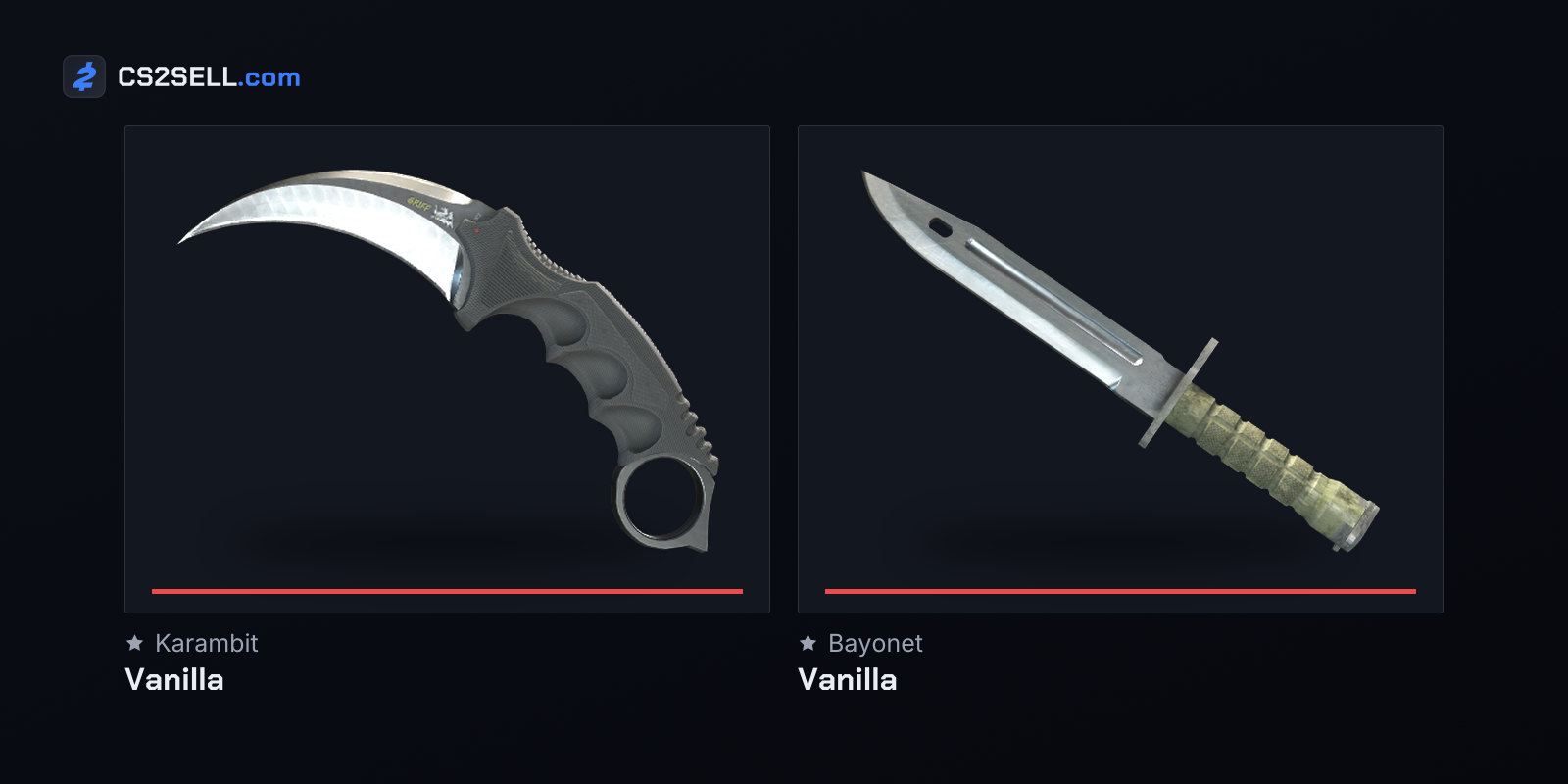
Custom models and weapon skins that don't exist in the game aren't acceptable either. Valve's FAQ adds that "vanilla" knives such as the Karambit or Bayonet count, even if only the player holding them can see them. Handing out stock weapons through a gun menu is fine, as is hiding or dropping a knife you own, and changing scores or names on the scoreboard.
Valve enforced the rules in January 2016. It permanently disabled the Game Server Login Tokens (GSLTs) of operators who had faked inventories or profiles, and barred the Steam accounts behind them from creating new ones. A GSLT is the token a dedicated server logs in to Steam with. Steam's token page says the account creating one must not be community banned, locked or limited, needs a qualifying phone number and must own the game, and warns that if your game server accounts are banned "for any reason, you may be restricted from playing the associated games."
For players, the practical point is simple. A knife or skin that a server lets you use without owning it is not in your inventory, and Valve's guidelines describe such mods as inaccurately reporting what players own.
Sources
- Game Server Operation Guidelines — Counter-Strike blog
- Steam Game Server Account Management — Steam Community
- Counter-Strike 2 Update, December 19, 2024 — Counter-Strike 2 news
- Deathmatch — Counter-Strike Wiki
- CS2: Ultimate Surfing Guide for Beginners — Dignitas
- How to Improve Your CSGO Warmup Routine, with Xizt — Dignitas
- NiKo on CS2 Settings, DeathAdder V4 Pro, and Falcons' Next Steps — ProSettings.net
- convars.txt (CS2 console variables) — GameTracking-CS2 on GitHub