Many CS2 trading scams don't need any hacking. They work by getting you to confirm a trade you didn't check, hand over something outside the trade window, or sign in on the wrong page. Valve's policy is that Steam Support doesn't restore items that have left an account, so the only reliable protection is spotting the scam before you confirm.
Item switch scams inside the trade window
These scams happen in an offer that looks almost right. Valve's scam FAQ lists several:
- Item switching. You agree on a skin, and the offer contains something that looks similar but is worth less.
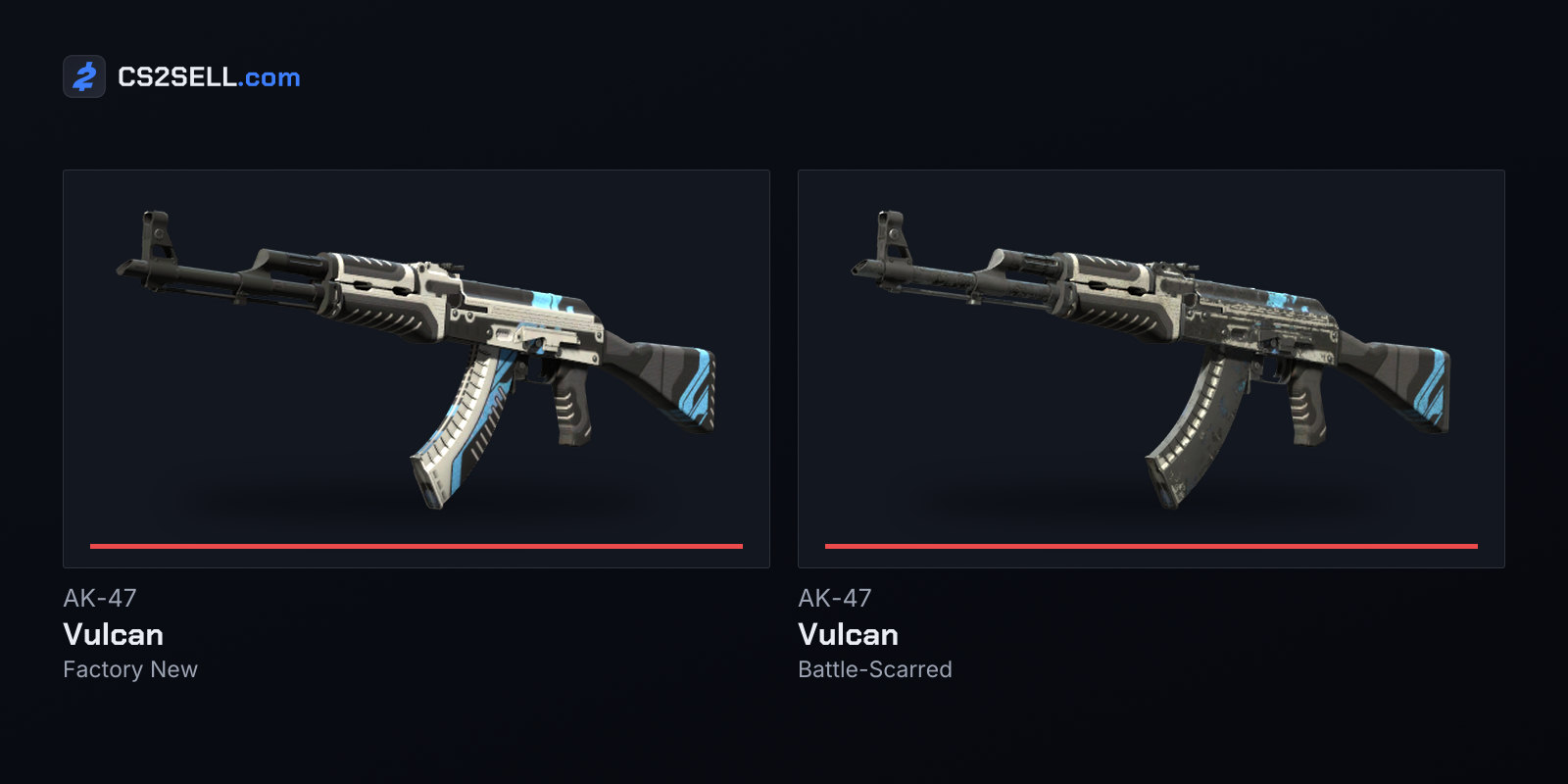
- Quality switch. You're promised Factory New and the offer holds Field-Tested, often slipped in through a counter-offer.
- Hidden item. An offer asks for lots of your cheap items, with one valuable item buried among them.
- Spam offers. Someone sends offers asking for expensive items for little or nothing, hoping you'll accept one by mistake.
The defence is slow, boring checking. Hover over every item on both sides and read the exact name and wear. For skins where float, pattern or stickers matter, inspect the actual item rather than trusting a screenshot or a description in chat.
Deals that leave the trade window
Valve's rule of thumb is short: don't trade for anything that can't be put into the trade window itself. Money, game keys and promises of a later trade all fail that test.
Cash for skins. A trade offer can't contain PayPal, gift cards, crypto or Steam Wallet funds. Valve warns that scammers send fake payment codes after receiving items, or pay with gift cards they later charge back. Since July 2025 there's a second risk when you're the buyer: the seller can reverse the trade within seven days, take the skin back and keep your money.
"You go first" and split trades. Valve's guidance is to complete everything in a single trade. A trade can hold everything both sides are offering, so there's no honest reason to send your half first and wait for theirs.
Middlemen. Valve says that if you're trading within Steam's system, there's no need for one. A middleman can be an impersonator, can be working with the other trader, or can simply keep what you hand over.
"Buy this for me" requests. A scammer offers you a great trade if you first buy a specific item on the Steam Market for them. The seller of that overpriced listing is their partner, and once you've bought it they disappear.
Fake payments through the Market. Someone offers to "send" you money by buying one of your cheap items at a very high price. Valve says most of these offers use fraudulent funds.
Impersonation and pressure
Many scams lean on who the other person claims to be.
- Fake bots and "verification". Someone says they're a trade bot, or that your item must be checked for duplication or bugs, and asks you to send it over. Valve lists both; your item doesn't come back.
- "I accidentally reported you." Valve is blunt here: any claim that you've been falsely or accidentally reported is a scam. Valve staff never contact you about your account through Steam Chat or Discord, and the only real support channel is the Steam Support site.
- A friend asking for a favour. A friend's account may be hijacked or copied. Valve advises being sceptical of unusual requests even from people you trust, and checking with them some other way costs you nothing.
- Copied profiles. Names and avatars are easy to copy. Steam's trade window also shows how long you've been friends, the account's Steam level and its age, and copying a name and avatar changes none of those.
Scams that go after your Steam account
The scams that do the most damage go after the account itself, because once someone controls it they can redirect your trades or empty it. Routes Valve and security researchers describe include fake login pages, malware passed off as voice or anti-cheat software for a "tournament", and giveaways that ask you to sign in with Steam.
Those giveaways often ride on big events. During IEM Katowice 2025 and PGL Cluj-Napoca 2025, Bitdefender found hijacked YouTube channels posing as players such as s1mple, NiKo and donk, looping old footage as fake livestreams and showing QR codes and links to "free skin" sites that stole Steam logins. For the details, see our guides to spotting phishing sites and the API key scam. Our guide to free CS2 skins lists the routes that are real.
If someone does take over your account, Valve says you can always recover it through Steam Support, even if they changed the email, password and phone number. Never pay a scammer who holds your account to ransom.
Where trade protection helps and where it doesn't
Trade protection gives hijacking victims a way back. If someone gets into your account and trades your CS2 items away, you have seven days to reverse those trades from your Trade History, at the cost of a 30-day trading and Market cooldown.
It does nothing for money you paid outside Steam, and it gives dishonest sellers a way to claw items back after being paid. The safe pattern for buying with real money is a service that only releases the seller's funds after the protection window. On CS2Sell's peer-to-peer sales on Buy, for example, the seller is credited only once the buyer's acceptance is verified, and as trade balance, which can't be withdrawn, until the protection window ends.
If it happens to you
Report the account from its Steam profile using Report Player. Valve says scammers it finds evidence against are banned from trading and the Market, sometimes permanently, and their other accounts may be banned too. Then secure your own account: change your password, sign out other devices and check for an API key you didn't create.
Sources
- Scam FAQ (Confidence Scams and Trade Scams) — Steam Support
- Recommended Trading Practices — Steam Support
- Scam: I Have Been Reported and Will Be Banned — Steam Support
- Steam Item Restoration Policy — Steam Support
- Trade Protected Items — Steam Support
- Streamjacking scams on YouTube leverage CS2 pro player championships to defraud gamers — Bitdefender